You cannot select more than 25 topics
Topics must start with a letter or number, can include dashes ('-') and can be up to 35 characters long.
 Alexandr Pilshchikov
b0bcded0c7
Alexandr Pilshchikov
b0bcded0c7
|
3 years ago | |
|---|---|---|
| images | 3 years ago | |
| .gitignore | 3 years ago | |
| README.md | 7 years ago | |
| example_01.gif | 7 years ago | |
| example_02.gif | 7 years ago | |
| object_size.py | 7 years ago | |
| object_size_mine.py | 7 years ago | |


README.md
Measuring Size of Objects with OpenCV
Calculates the size of objects based on a given reference object
Cool object size estimator with just OpenCV and python
All thanks to Adrian Rosebrock (from pyimagesearch) for making great tutorials. This project is inspired from his blog: Measuring size of objects in an image with OpenCV. I have included the author's code and the one i wrote my self as well.
Key Points
- Steps involved:
- Find contours in the image.
- Get the minimum area rectangle for the contours.
- Draw the mid points and the lines joining mid points of the bounding rectangle of the contours.
- Grab the reference object from the contours and calculate Pixel Per Metric ratio.
- Calculate and print the bounding rectangle's dimensions based on the reference object's dimensions.
- Assumptions:
- There is a reference object in the image which is easy to find and it's width/height is know to us.
- Uses "Pixel Per Metric" ratio to calculate the size based on the given reference object.
- Reference object properties:
- We should know the dimensions of this object (in terms of width or height).
- We should be able to easily find this reference object in the image, either based on the placement of the object (like being placed in top-left corner, etc.) or via appearances (like distinctive color and/or shape).
- Used the United States quarter as the reference object.
- Used the OpenCV's find contours method to find the objects in the image and calculated their dimensions.
Requirements: (with versions i tested on)
- python (3.7.3)
- opencv (4.1.0)
- numpy (1.61.4)
- imutils (0.5.2)
Commands to run the detection:
python object_size.py --image images/example_01.png --width 0.955
Results:
The results are pretty decent even though not perfect. This is due the limitations of the image itself as its not perfect top-down view of the objects and some calibrations could have also been done in the camera before clicking the picture.
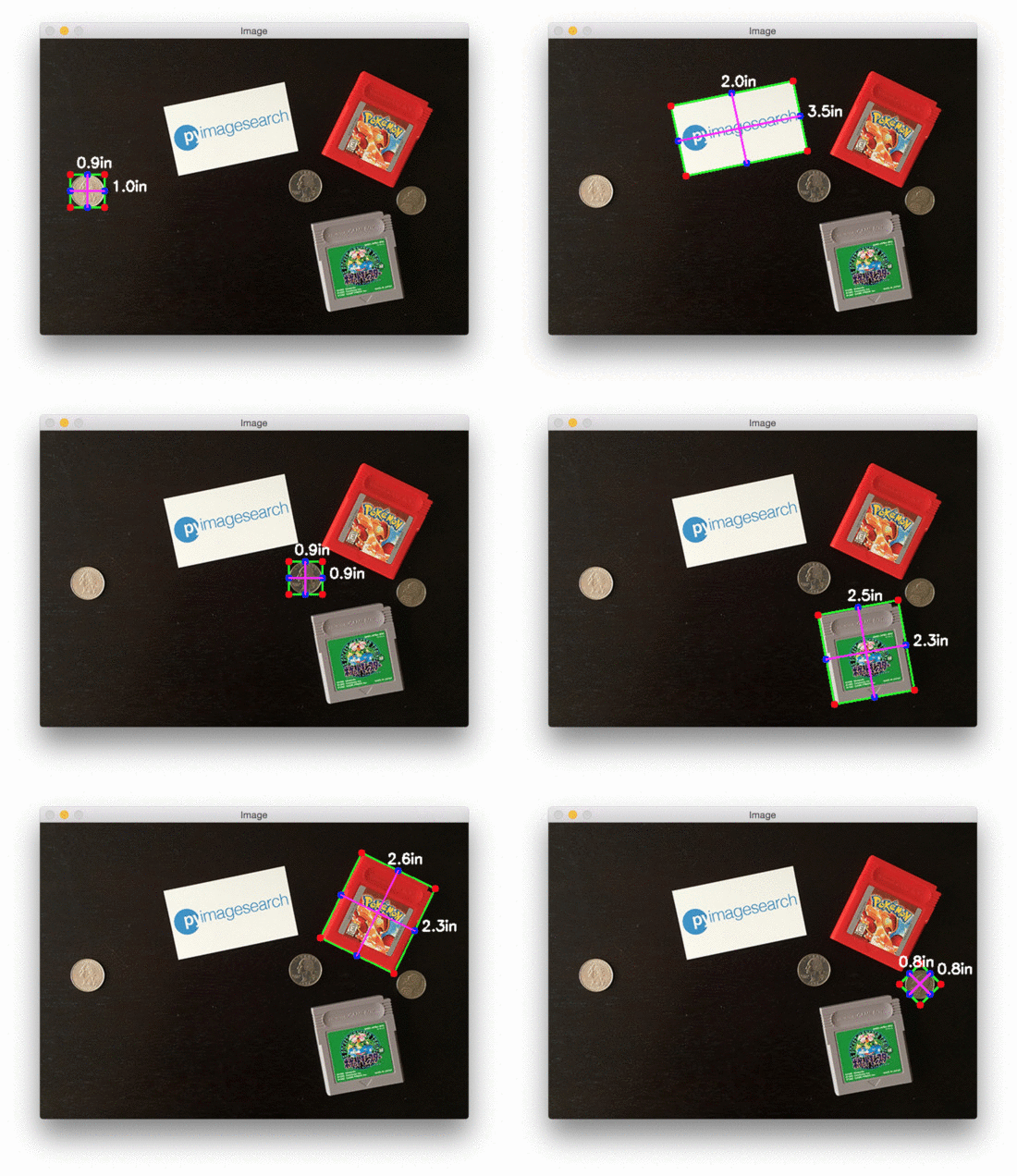
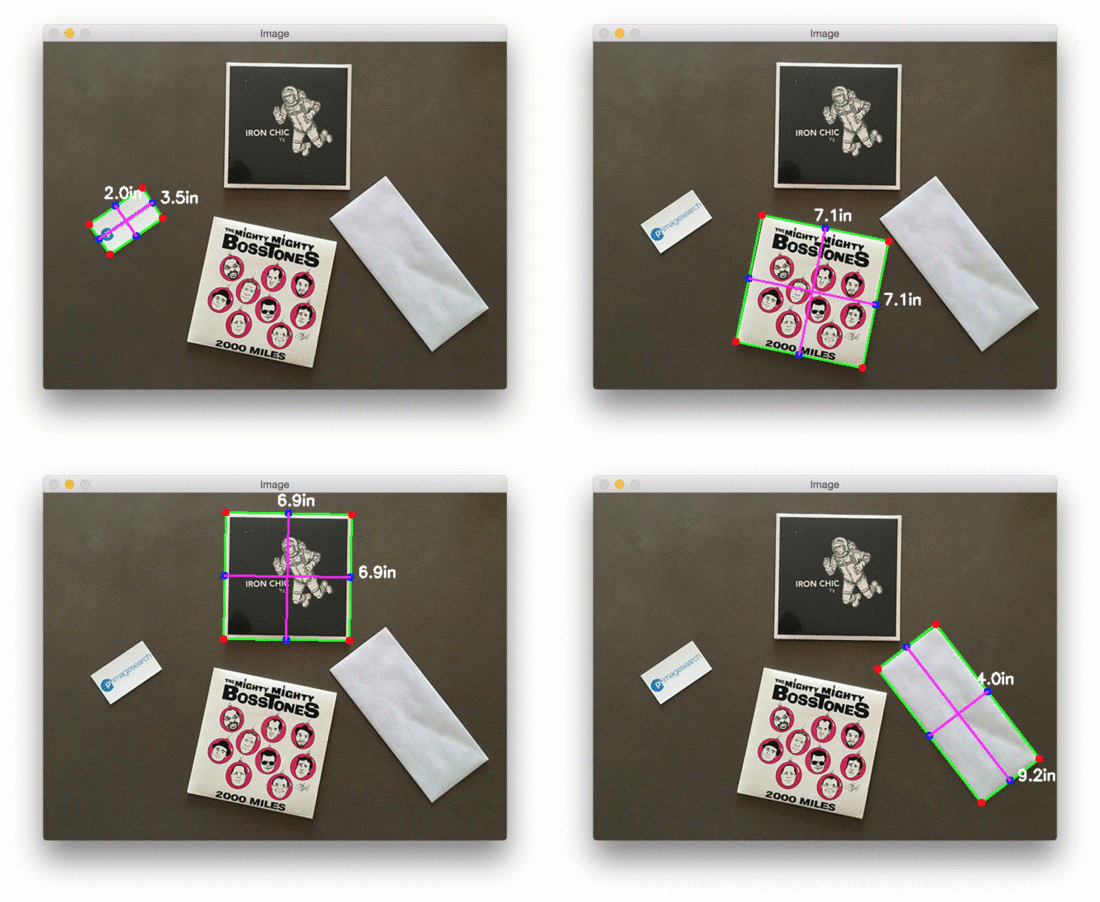
The limitations
- This technique requires the image to be near perfect top-down view of the objects to calculate the accurate results. Otherwise the dimensions of the objects in the image may be distorted.
- The photos are prone to radial and tangential lens distortion which would lead to uneven object dimensions.